Showing posts with label Tips and Tricks. Show all posts

Saturday, 29 March 2014

// // Leave a Comment

How to check your blog's mobile version template on desktop


Thinking of how to check your blog's mobile version template?

Here is the solution of this problem.

Blogger is a blogging platform by google. You can even earn from this platform and make your wallet fat. Bloggers regret for not having good visitor count, but they don't realise the important of mobile template of your blog.
Mobile template is equally important for getting success in gaining visits on your blog. Most of the bloggers start building blog about mobiles and their application/softwares, but don't focus on the blog's mobile template which finally results in increasing bounce rate of the blog.

Read this How to reduce blog's bounce rate

Blogger provides you with a pre-activated mobile template which is plain, simple and fast loading. You can activate your custom mobile template. For that you have to build a responsive blogger template or you can download one from here.

How to check blog's mobile template

Just open a new tab (Ctrl + T) and place your blog's URL like shown below-
http://makingeffective.blogspot.in/?m=1
Replace makingeffective with your blog's name and press enter. Here you go, now you can modify your blog's mobile template easily. 
Read More

Thursday, 12 December 2013

// // Leave a Comment

Change Blogger Blog Address

Frustrated from your blog's address?

Regretting for your domain name selection ?

Don't panic you can change your blog address without disturbing your content. Before changing your address keep in mind about your SEO. Changing name will affect your blog's traffic because some of your readers will get no response from your old address. So, If you still decide to change name keep in mind that name should be short and would be excellent if is a more searched keyword.


Let's begin

How to change name?

Follow following steps carefully and also you can change name as many times you want but keep in mind you loose some of your traffic.

1. Select your blog you want to change the name


2. Click on settings and then basic option on the left panel


3. In the right column check for publishing


4. Click on edit and fill up the new name


5. Click on save and you are done

Enjoy. You have got a new address for your successfully running blog.
Read More

Wednesday, 11 December 2013

// // Leave a Comment

Stop Content Thieves from Destroying your Blog

Working so hard but not getting much traffic?
Is your blog content is being reproduced without your permission or any backlink?

Just wait!

Here is the time to stop content thieves from destroying your blog traffic and it's future. Today after a lot of requests on this problem I'm here with my tutorial for 'How to stop content thieves'.


Why stop content thieves

There are many problems related with content copying like your original content will loose it's traffic, you will be disapproved by Google Adsense, you will not be given good ranking, your earning will be effected and many more destruction. So, you should keep an eye on your content copying and Google takes strict action against content thieves with every google panda update.
The best way to stop content thieves is disable copying on your blog. So, let's come to the main part How to disable copy option on your Blogger and Wordpress blog.

How to disable Copy on your blogger blog

To disable copy option forever just follow following steps carefully. Customisation in the code may affect the result.
  • Go to Blogger Dashboard
  • Click on layout (on the left panel) >> Add gadget
  • Select Html/JavaScript

Paste the below code in the content box and leave the label/content box empty.
<script type="text/javascript">
var omitformtags=["input", "textarea", "select"]
omitformtags=omitformtags.join("|")
function
disableselect(e){
if
(omitformtags.indexOf(e.target.tagName.toLowerCase())==-1)
return false
}
function
reEnable(){
return
true
}
if (typeof document.onselectstart!="undefined")
document.onselectstart=new Function ("return false")
else{
document.onmousedown=disableselect
document.onmouseup=reEnable
}
</script>
 Now save the gadget and you are done!! Now you are safe!! Enjoy your hard work.

How to disable on Wordpress

It is same for the Wordpress users too. 

  • Click on Dashboard
  • Select Widget > Html/JavaScript.
  • Paste the above code and you are done.

Read More

Saturday, 23 November 2013

// // Leave a Comment

Tips To Optimize Images For SEO ~ Improve Traffic

Everyone knows the importance of traffic for a blogger. Traffic is like biggest gift for them. For that a lot of hard work and determination are required but with that trick for SEO too. Today I'm going to tell you 'How To Optimize Images For SEO'. This is one of the main things in SEO tricks.
Every professional blogger even searches images on Google Images to use them in a blog post. So if your image is optimized properly it will show up higher and this will benefit you in two ways. One is it will increase your traffic and it will help readers know more correctly that what the post is actually about i.e Higher Search Engine Page Ranking. Everyone should optimize image either a Blogger or Wordpress user before publishing it on a blog post, this will soon be effective for your blog's traffic. So, Lets come to the tutorial to know about some helpful tips for optimizing images for SEO.
Know How to enhance your audience from Google+
Image optimisation

Image optimizing tips

Consider these tips before for improving your blog SEO -

1. Keywords in image name

Downloaded image from the internet? Or Clicked by you?
Wait!!! Don't straight away upload it your blog post. You can earn traffic from this. Replace the name of the image to keyword which helps search engines to place your image higher in ranking when a user searches for that keyword. Most of the images are saved by default names like 'image_11_2013.jpg' or like 'photo852.jpeg' Replace it with a meaningful name like 'top-seo-tips.jpg'. Use (-) instead of using empty space because it gets converted into '%20' which doesn't mean anything.
Also Read How to increase your blog's traffic?

2. Format

Use format of image which are most common. PNG, JPG, GIF etc. are most preferred once. Other formats may lead to not showing up your image in image search as common formats are given priority. Use like explained in the previous example.

3. Compress Image

Your blog takes a lot of time to load?
Don't worry.
Use compressed images because they help loading your blog faster. Compression means the quality of the image is not disturbed but the size is reduced.
In photoshop you can do this by going to File >> Save for web

4. Dimensions

Wrong dimensional images make your blog look vulgar. So, prefer using them with proper dimensions and if you are not a professional blogger use images at medium size. And prefer using less images in your blog post because this increases the loading time of your blog.

5. Title and Alt text

Use a perfect title and alt text for your image. Prefer to use straight words which describe your image properly. Use only 1-2 keywords in alt section.
To use these features click on the image in blog post editor and click on the image and press properties. Fill up both sections for more traffic.

Last words

Remember following things for better result -
  • Name of the image should be small and appropriate.
  • Use formats like PNG, JPEG and GIF only. No other extension.
  • Compress images but keep an eye on the quality of the image.
  • Don't use too many keywords in alt section.
  • Don't use too many images in a single blog post that may ruin your reader's experience.

Read More

Sunday, 29 September 2013

// // 3 comments

Social sites : a rich source of traffic and revenue

HEY HEY HEY!!! You heard it right you can earn the bulk of organic traffic from social sites like Facebook, Twitter, Google+ etc. These types of highly used social sites help in blogging as they pay bulk traffic for your blog.


Today I will let you know important and useful tips to earn huge bulk of traffic from social sites. Many pro bloggers like +Pankesh Bamotra , +Chandeep J,  +Rohit Asare+HARSHIT MANOCHA etc. use such strategies to get heavy bulk traffic to their world popular blogs. They already developed master minds and adapted to these tips much before and got success.
There are millions of tips on these strategies and many posts are already published by many bloggers but I still feel like I should feed these tips to newbies reading my blog. Thanks for your beautiful and wonderful response on my blog. Let's come back to the topic. I will today mainly talk about Facebook and related tips.

What is Facebook?

Facebook is a worldwide used and famous social site which has earned a lot of name and fame in a very short spam of time. Over 80% of the world population is available on Facebook with live activities. Facebook has undergone many changes from last 2-3 years like it has now launched graph, they keep on enhancing their profile looks after proper intervals etc. Facebook is well known and is also preferred by many bloggers. Also read How to earn money from home

Difficulty level

It is very very easy to get organic traffic from social sites like Facebook. There are many ways to get traffic. Refer to following powerful tips :

How to get it?

Facebook has sub-platforms for web users who are interested in web designing, developing, online business, etc. To know tips check this out-


1. Via Facebook Page

This is one of the most perfect way to get traffic to your blog. Build up your blog page on Facebook and promote it to your friends. You can also use Facebook like box for more likes on your page. Place the box at a more appropriate position or you can make it sticky also which is more precise to get more likes for that consider this
How to make a sticky widget
I will soon be writing posts on how to build a fb page and embed the widget on blogger.


2. Via Facebook Group


One can also earn some free organic traffic through Facebook groups too. This also builds up a community where readers can share their review about your content. And they can share the content shared by you on the group wall.

3. Via Sharing Blog Page Link


This is one of the most successful way to get traffic. You can share links in the description of your photos shared, in your status, as attribute of your comments etc. But remember one thing, don't be a spammer if your readers hate your such activities leave it soon or they will leave you soon.

4. Via Sharing on Wall


Share your blog posts on your Facebook page and on your personal wall. Be precise and good looking this helps in gaining more attention.
Beauty attracts :P

5. Via Promotion on Facebook

Promote your Facebook post via post promotion this is a paid way but good. It helps get bulk traffic. It is important as it also drives readers who are not in contact with you. Take a best and suitable budget pack and earn via advertisement.

Things to remember

  • Share your posts but in a professional way.
  • Comment on another blogs and blog pages too.
  • Don't comment too much with attribution.
  • Only use attribution at suitable situations.

Read More

Friday, 20 September 2013

// // Leave a Comment

These Signs Will Make You Quit Blogging


Blogging is not just entertainment, It is much more than that. Blogging is a platform to share your experience with the world and spread your know with other bloggers like me :D Many new bloggers are uprising everyday and adopting blogging. Many bloggers in this blogger world are just occupying space and wasting it. Many of them don't even know how to post properly.

Are you one of them?

These are some of the signs which lead to quit blogging. Below I had explained it with details.

Signs not accepted

  1. You are blocked
    Many of the bloggers don't even have an idea to write a post on. You lose your ability to write on your blog with professional look.
    If you are struggling with that and don't know what to write next post on you are getting blogger's block. If you are determined blogger you will surely get a new idea for your post. If you completely think to be a famous and successful blogger then you even can get ideas from your surroundings.

  2. You hate to read other blogs
    You don't like reading other blogs?
    If no, then you are definitely going to get frustrated from your blog soon. Even other blogs help you gather ideas and tips for your blog. If you are a regular reader of other blogs and are actively commenting on their post it will get you rise in the eyes of others.
    So be a regular reader of other blogs. Find different blogs and exploring google. Don't miss my blog too.

  3. Your posts are not read
    If your posts are being not reader by others, or don't get a successful response then you need to check your writing skills. You should keep an eye on your errors and grammar used in your articles.
    Other people who read your blog firstly check your grammar but it has errors in it, it will increase your bounce rate. Read more Bounce rate: A stubborn
    If there are least errors and proper grammar used, it clearly reflects your bright future.
     
  4. You don't have time
    The world is not at all free. Are you free?

    'Huh, I'm getting no time these days. I'm frustrated.'

    These are most lines by many of you. This is the main thing responsible for quit by bloggers. You need to manage your time. You should set up your time for your post like you will post at least one post in 1 week and never disturb that plan. Or you will be disturbed by your audience's response.

  5. Without a blog niche
    Many of the bloggers have don't even set a plan for their blog's future. So they don't even get ideas for their next post. This leads to shutting of your blog.
    First of all you will need to set your blog's niche and then start it with your full strength. I'm sure you will get a good response.

  6. Rejection from Google Adsense
    Google Adsense?

    'Disapproved' :(

    One of the main thing that makes you disappointed. Many bloggers only start their blog to earn from it so in this greed they go to Adsense right at the beginning and get rejected. This disapproval makes your distressed about your blog and makes you quit.

    Read more-
    How to earn from your website
    Google Adsense alternatives

Don't worry

You should be determined about your blog and a proper plan for it. If you are done with that nothing and distract you from your track of the success of your blog.


Think it will help you get out of the problem. Don't get stressed stay calm and work hard.
Read More

Wednesday, 28 August 2013

// // Leave a Comment

How to backup your blogger blog

Hi newbies, It is an add-on to newbie tutorials. This is so very simple to do the job.
Blogger is becoming very popular among internet users. Almost 79% of people surfing are having a personal blog. But only some of them are able to promote their blog properly because they don't have the proper tips for that. Read more -
I provide proper tips and tricks for newbies at blogger so keep an eye on my blog. So lets come on to the topic.
You must be surprised that 43% of the blogger don't even know how to upload/ backup template. So this is a tutorial for those dummies and newbies @ blogger. So pay attention on the reading. Check below steps for instructions.

Why backup?

  • Safety
  • Recovery point

How to?

  1. Go to your blogger account, Select the blog you want to backup.
  2. Click on template.

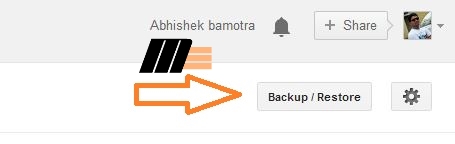
     3. Check for backup/upload tab on top right corner.


    4. Click on download full template and wait for the download to complete.


    5. And here you get your xml file of your blogger blog.
Think you learnt now how to do this job. I will soon upload a video tutorial for this very soon. Read more newbies tutorials
Stay connected
Read More
// // Leave a Comment

Enhancing Blockquotes in Blogger

Hi everyone I'm back with my new post on how to customize your blockquotes. This is one of the important customization for those who provide codes, Quotations in their blog post. This also enhances the look of your blog. Many bloggers prefer to start a blog on a topic which is in great demand, Many topics include things which must be illustrated more professionally. So, this is one of the main thing bloggers prefer to do first.
Many newbies don't even know what actually blockquotes are. Blockquotes are symbols like " or ' which appear on the sides of some quotes. Customization change these symbols to other designs.  So lets directly come to the point.
Also read - How to make widget sticky in blogger

Why to customize?

  • Professional look
  • Enhances template
  • Popular designs

How to customize?

1. First of all, Log In to your blogger account.
2. Now click on the template tab and backup your template.
3. Now click on Edit Html and search for following in css section

blockquote

4. Replace whole blockquote css with the following blockquote css.

Top 10 Blockquotes

As many of you prefer professional look, I'm here with that -

.post blockquote {
font: 14px/22px normal helvetica, sans-serif;
margin-top: 10px;
margin-bottom: 10px;
margin-left: 50px;
padding-left: 15px;
border-left: 3px solid lightblue;
}

.post blockquote {
margin: 0 20px;
padding: 10px 20px 25px 20px;
border-left: 5px solid #fce27c;
background-color: #f6ebc1;
}

.post blockquote {
margin: 0 20px;
padding: 10px 20px 25px 20px;
border-left: 10px dotted white;
background-color: #f6ebc1;
}

.post blockquote {
background-color: transparent;
border-top: 3px double #DC143C;
border-bottom: 3px double #DC143C;
padding: 5px;
font-style: oblique;
font-size: 1em;
margin-left: 5%;
margin-right: 5%;
}

.post blockquote {
border: 2px solid rgb(255, 204, 0);
padding: 8px 10px;
font-size: 120%;
color: black;
font-weight: bold;
background-color: rgb(255, 255, 153);
border-radius:20px 20px 0 20px;
}

.post blockquote {
margin : 0 20px;
padding: 10px 20px 25px 20px;
background : #9FCFFF;
color : #484848;
border: 5px dotted #fff;
}

.post blockquote {
background-color: white; color: #845424;
background-image: url(https://blogger.googleusercontent.com/img/b/R29vZ2xl/AVvXsEgwEojI91D33e8Xn3n3GAeLNkMW03ZXw_VPXF7EH8doNqUmpfJ9GEQ_I5cvTEdOIq0p2xGixIuKk9i2Mzd1Al0zPUz9MKAUFcP5ONtIkv9s7ieSySLiKd8eWGFTvF-d7p6mETkijGSxBOQ/s1600/Orange.gif);
background-position: 0% 10px;
background-repeat: no-repeat repeat;
border-width: 2px;
margin: 0px 20px;
min-height: 30px;
padding: 20px 20px 10px 45px;
vertical-align: baseline;
}

.post blockquote {
background: #484B52 url(https://blogger.googleusercontent.com/img/b/R29vZ2xl/AVvXsEiv858LWl-mqynm3tVjxgo9ZZIpN2Q4UAFVr4MYbZDFVY0vk1L5GzR9Q3EnnLgqAUhFVqKoeF78P750mnF-MUnNoDdr3tZUb3Uz9sv-LIVZM8D_rMpHGa3Thj80W1GWRko4PwXPVM09AFE/s1600/green-black-side.gif) ;
background-repeat:repeat-y;
margin: 0 20px;
padding: 20px 20px 20px 50px;
color:#C7CACF;
font: normal 0.9em Helvetica, verdana, serif, Georgia, "Times New Roman";
}

.post blockquote {
background: url(https://blogger.googleusercontent.com/img/b/R29vZ2xl/AVvXsEhjVUBGzMtA1U96KdTjG3j5NIrgaaLC-zwVn9On86yRIownTekJOAjEiM3XqIh_3b3xynVHqwctseNWwLH_sXLNHSjmkdxJidZ-E7Js3QTP95uAZHF70UlVdlgI5yMOve-A0pxZtgir9fg/s1600/blockquote.png) no-repeat scroll 0px 0px transparent;
border: medium none;
margin: 5px 5px 50px;
padding: 25px 30px 5px 70px;
color: rgb(153, 153, 153);
font-style: italic;
}

.post blockquote {
background: url(https://blogger.googleusercontent.com/img/b/R29vZ2xl/AVvXsEiAk9_GHToq6EFbZpCLdVkbTdW35ROz8QSJeJ6WUr906Ks0tHQ1LwGVcYHK9Q7Tk9eOxY-42OQ3ycDL6H-7E7ItcVEsHbnYUowwUl7JTYJSOD8aoKutCmtt0HBGuOedDfLe4BjDQQmVfdI/s1600/note.png) repeat-y scroll 0 0 transparent;
-webkit-border-radius: 3px;
-moz-border-radius: 3px;
-ms-border-radius: 3px;
-o-border-radius: 3px;
border-radius: 3px;
-webkit-box-shadow: 0 0 3px #808080 inset, 0 0 1px #FFFFFF;
-moz-box-shadow: 0 0 3px #808080 inset, 0 0 1px #FFFFFF;
-ms-box-shadow: 0 0 3px #808080 inset, 0 0 1px #FFFFFF;
-o-box-shadow: 0 0 3px #808080 inset, 0 0 1px #FFFFFF;
box-shadow: 0 0 3px #808080 inset, 0 0 1px #FFFFFF;
margin: 10px 13px;
padding: 21px 45px 14px;
line-height: 1.65em;
font-famliy:georgia,sarif;
font-size:13px;
}
+Change the codes according to your template or requirements.

Now save the template.

How to use blockquotes?

  1. Click on new post.
  2. During your post, when you want to put your words/ quotes/ codes in blockquote just click on the
     icon on your option bar in post editor and type the words.
     
     3. Click on preview tab and check the awesome blockquotes.
For more newbies tutorials stay connected. Please provide us with your feedback as it will help us grow.
Read More

Thursday, 22 August 2013

// // Leave a Comment

Cutomize your blogger label widget with css

Hey everyone. Think you are learning proper blogging tips from my blog as I'm trying my level best.
Today I will tell you the easiest way to customize your blogger blog's labels. It is easy and effective too. I have already told you the importance of the label widget on your blog. It stops your reader on your blog for the most of the time he/she has as it gives more wide navigation facility to the reader. It is easy to customize. So lets start it...

Why to customize labels?

  • Enhance look
  • Professional style
  • Increase traffic

How to customize labels?

  1. Go to your blogger account.
  2. Click on the layout tab on left panel > add element > Labels
  3. Select cloud style and uncheck number of post per label
  4. To customize the label widget, Click on the template
  5. Backup your blogger template 
  6. Click on Edit Html and click ctrl+f in html edit box.
  7. Find the following code
]]></b:skin>
     8. Paste the code of the theme of the label you like from the following choices -


.label-size {     float: left;     margin: 0 0 7px 20px;     position: relative;     font-family: 'Helvetica Neue', Helvetica, Arial, sans-serif;     font-size: 0.75em;     font-weight: bold;     text-decoration: none;     color: #996633;     text-shadow: 0px 1px 0px rgba(255,255,255,.4);     padding: 0.417em 0.417em 0.417em 0.917em;     border-top: 1px solid #d99d38;     border-right: 1px solid #d99d38;     border-bottom: 1px solid #d99d38;     -webkit-border-radius: 0 0.25em 0.25em 0;     -moz-border-radius: 0 0.25em 0.25em 0;     border-radius: 0 0.25em 0.25em 0;     background-image: -webkit-linear-gradient(top, rgb(254, 218, 113), rgb(254, 186, 71));     background-image: -moz-linear-gradient(top, rgb(254, 218, 113), rgb(254, 186, 71));     background-image: -o-linear-gradient(top, rgb(254, 218, 113), rgb(254, 186, 71));     background-image: -ms-linear-gradient(top, rgb(254, 218, 113), rgb(254, 186, 71));     background-image: linear-gradient(top, rgb(254, 218, 113), rgb(254, 186, 71));     filter: progid:DXImageTransform.Microsoft.gradient(GradientType=0,StartColorStr='#feda71', EndColorStr='#feba47');     -webkit-box-shadow: inset 0 1px 0 #faeaba,         0 1px 1px rgba(0,0,0,.1);     -moz-box-shadow: inset 0 1px 0 #faeaba,         0 1px 1px rgba(0,0,0,.1);     box-shadow: inset 0 1px 0 #faeaba,         0 1px 1px rgba(0,0,0,.1);     z-index: 1; } .label-size:before {     content: '';     width: 1.30em;     height: 1.39em;     background-image: -webkit-linear-gradient(left top, rgb(254, 218, 113), rgb(254, 186, 71));     background-image: -moz-linear-gradient(left top, rgb(254, 218, 113), rgb(254, 186, 71));     background-image: -o-linear-gradient(left top, rgb(254, 218, 113), rgb(254, 186, 71));     background-image: -ms-linear-gradient(left top, rgb(254, 218, 113), rgb(254, 186, 71));     background-image: linear-gradient(left top, rgb(254, 218, 113), rgb(254, 186, 71));     filter: progid:DXImageTransform.Microsoft.gradient(GradientType=1,StartColorStr='#feda71', EndColorStr='#feba47');     position: absolute;     left: -0.69em;     top: .2em;     -webkit-transform: rotate(45deg);     -moz-transform: rotate(45deg);     -o-transform: rotate(45deg);     transform: rotate(45deg);     border-left: 1px solid #d99d38;     border-bottom: 1px solid #d99d38;     -webkit-border-radius: 0 0 0 0.25em;     -moz-border-radius: 0 0 0 0.25em;     border-radius: 0 0 0 0.25em;     z-index: 1; } .label-size:after {     content: '';     width: 0.5em;     height: 0.5em;     background: #fff;     -webkit-border-radius: 4.167em;     -moz-border-radius: 4.167em;     border-radius: 4.167em;     border: 1px solid #d99d38;     -webkit-box-shadow: 0 1px 0 #faeaba;     -moz-box-shadow: 0 1px 0 #faeaba;     box-shadow: 0 1px 0 #faeaba;     position: absolute;     top: 0.667em;     left: -0.083em;     z-index: 9999; } #Label1 {     height: 210px; } .label-size:hover {     background-image: -webkit-linear-gradient(top, rgb(254, 225, 141), rgb(254, 200, 108));     background-image: -moz-linear-gradient(top, rgb(254, 225, 141), rgb(254, 200, 108));     background-image: -o-linear-gradient(top, rgb(254, 225, 141), rgb(254, 200, 108));     background-image: -ms-linear-gradient(top, rgb(254, 225, 141), rgb(254, 200, 108));     background-image: linear-gradient(top, rgb(254, 225, 141), rgb(254, 200, 108));     filter: progid:DXImageTransform.Microsoft.gradient(GradientType=0,StartColorStr='#fee18d', EndColorStr='#fec86c');     border-color: #e1b160; } .label-size:hover:before {     background-image: -webkit-linear-gradient(left top, rgb(254, 225, 141), rgb(254, 200, 108));     background-image: -moz-linear-gradient(left top, rgb(254, 225, 141), rgb(254, 200, 108));     background-image: -o-linear-gradient(left top, rgb(254, 225, 141), rgb(254, 200, 108));     background-image: -ms-linear-gradient(left top, rgb(254, 225, 141), rgb(254, 200, 108));     background-image: linear-gradient(left top, rgb(254, 225, 141), rgb(254, 200, 108));     filter: progid:DXImageTransform.Microsoft.gradient(GradientType=1,StartColorStr='#fee18d', EndColorStr='#fec86c');     border-color: #e1b160; } 


#Label1 a{position:relative !important;
margin:4px;
padding:3px;
float:left;
white-space:nowrap;
background:#E0DDDD;
color:#454242;
border:1px solid #454242;
-moz-border-radius:8px;
-webkit-border-radius:8px;
border-radius:8px;
font-family: "Arial","Helvetica",sans-serif;
font-size:12px;
text-decoration:none;
text-transform:capitalize;
-moz-transition:all .6s linear ;
-webkit-transition:all .6s linear ;
-o-transition:all .6s linear ;
transition:all .6s linear ;
}
#Label1 a:hover {
background:#6992E9;
color:#F3F4F8;
-moz-transition:all .3s ease ;
-webkit-transition:all .3s ease ;
-o-transition:all .3s ease ;
transition:all .3s ease ;
}


/* Code By www.makingeffective.blogspot.com */

.list-label-widget-content ul
{
    list-style-type:none;
    padding-left:0px !important;
    display:inline-block !important;
}
.list-label-widget-content li {
    display:inline-block;
 }


.list-label-widget-content li a  {
color: #777;
font: 9px verdana;
text-transform: uppercase;
transition: border-color .218s;
background:
#f4f4f4;
background: -webkit-gradient(linear, 0% 40%, 0% 70%, from(
#F5F5F5), to(
#F1F1F1));
display: inline-block;
text-shadow: 0 1px 0
#fff;
-webkit-transition: border-color .218s;
-moz-transition: border .218s;
-o-transition: border-color .218s;
transition: border-color .218s;
background:
#f3f3f3;
background: -webkit-gradient(linear, 0% 40%, 0% 70%, from(
#F5F5F5), to(
#F1F1F1));
background: -moz-linear-gradient(linear, 0% 40%, 0% 70%, from(
#F5F5F5), to(
#F1F1F1));
border: solid 1px
#ccc;
border-radius: 2px;
-webkit-border-radius: 2px;
-moz-border-radius: 2px;
margin: 0 4px 4px 0;
padding: 3px 5px;
text-decoration: none;
}
.list-label-widget-content li a:hover {
color: #333;
border-color: #999;
-moz-box-shadow: 0 2px 0 rgba(0, 0, 0, 0.2) -webkit-box-shadow:0 2px 5px rgba(0, 0, 0, 0.2);
box-shadow: 0 1px 2px
rgba(0,0,0,0.15);
}

9. Paste the code just above/before ]]></b:skin>
10. Now save the template. Check your blog with an awesome new label widget

Last lines

Do not edit the codes or the customization would not work. If you like my work please give me your feedback. It will encourage me to develop it more. Thanks for your presence.
Also read -
Stay in touch
Read More