Showing posts with label Blogger Template. Show all posts

Saturday, 29 March 2014

// // Leave a Comment

How to Remove Blogger's Default Mobile Template


While I was writing my last post about How to check your blog's mobile template on desktop, It stuck my mind to write about how to remove blogger's default mobile template.
Blogger's default template is a very mobile friendly template with a fast loading speed even on slow internet, but when you are designing a professional website it creates a big problem in making a professional look for your blog.
Most the professional blogger prefer using custom mobile template for the blog. Today I will tell you how to activate your blog's responsive template for mobile and remove blogger's default mobile template.

Pre-Requirements

How to remove blogger's default mobile template

1. Go to your blogger account and select the blog.
2. Click on Template tab (left panel)
3. Search for a column named 'mobile'
4. Click on Settings icon
5. Select 'No. Show desktop template on mobile devices.'
6. Click on save button.
7. To check that your blog's default mobile template has been remove
  • Open new tab (Ctrl + T)
  • Place your blog's URL as shown
http://www.makingeffective.blogspot.com/?m=1
Replace makingeffective with your blog's name.
Here you go all clear.
Read More
// // Leave a Comment

How to check your blog's mobile version template on desktop


Thinking of how to check your blog's mobile version template?

Here is the solution of this problem.

Blogger is a blogging platform by google. You can even earn from this platform and make your wallet fat. Bloggers regret for not having good visitor count, but they don't realise the important of mobile template of your blog.
Mobile template is equally important for getting success in gaining visits on your blog. Most of the bloggers start building blog about mobiles and their application/softwares, but don't focus on the blog's mobile template which finally results in increasing bounce rate of the blog.

Read this How to reduce blog's bounce rate

Blogger provides you with a pre-activated mobile template which is plain, simple and fast loading. You can activate your custom mobile template. For that you have to build a responsive blogger template or you can download one from here.

How to check blog's mobile template

Just open a new tab (Ctrl + T) and place your blog's URL like shown below-
http://makingeffective.blogspot.in/?m=1
Replace makingeffective with your blog's name and press enter. Here you go, now you can modify your blog's mobile template easily. 
Read More

Friday, 13 December 2013

// // Leave a Comment

Top 5 Responsive Blogger templates 2013

The blog's template is the most important thing for your blog. And a responsive template helps attracting readers. Responsive means it fits all types of screen sizes even mobiles, tablets and laptops. Responsive style maintains your blog's look even on mobiles.
The responsive template blog helps increase traffic and decrease bounce rate. Many professionals develop responsive templates and provide them for free. There are many sites famous which provide free and licensed version of the templates. Some of them are templateismsoratemplatesblogtipsntricks, etc. Today I'm going to tell you about top 5 of them.


Let's start the countdown of 5....

# Flatmag Responsive Blogger Template


# Elice Blogger template


# Sensational Blogger template

# Balance Blogger template


# MinLook Blogger template


Read More

Sunday, 6 October 2013

// // Leave a Comment

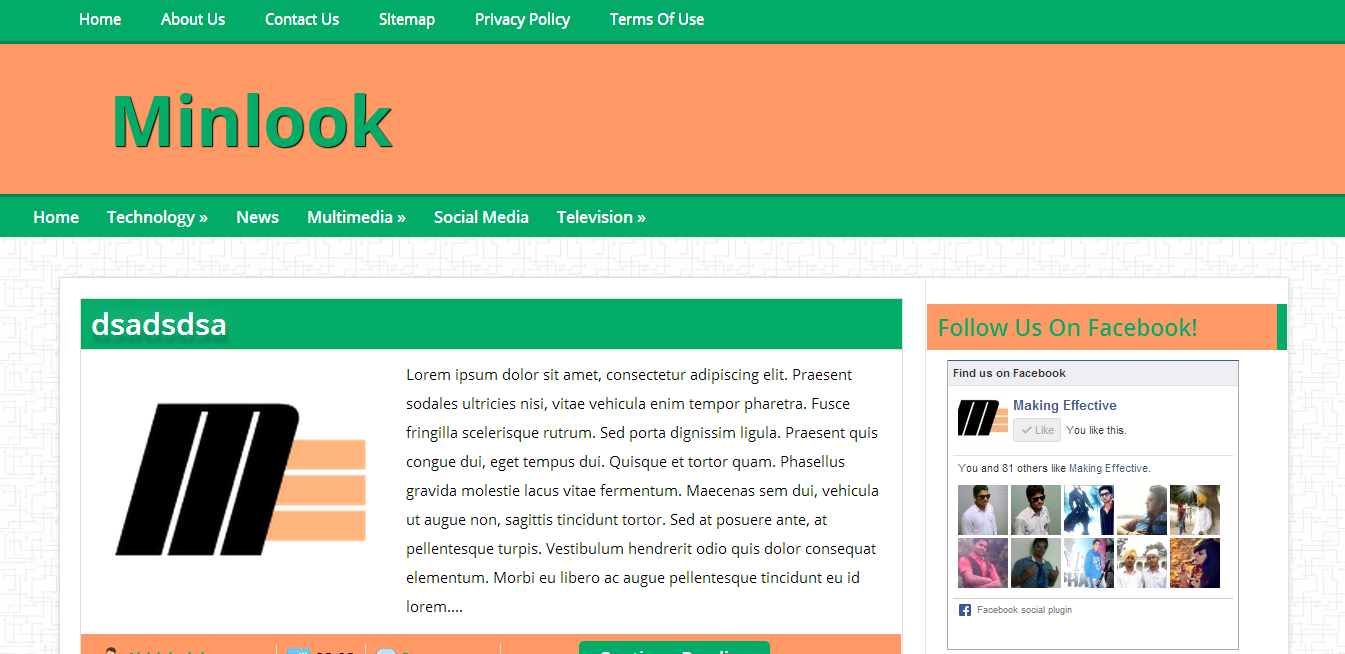
MinLook - A Responsive Template

Hey readers!!! Bloggers who are making effective their blogs are most welcome to makingeffective. Blog's personalisation mainly depends upon blog's template. But a simple template is not sufficient it should have some special features. Some of them are :

  1. Responsive
  2. Good looks
  3. Different
If these features are fulfilled you are done with the look of your blog. After a lot of work on my first custom template, I'm here with a minimal template called MinLook. MinLook is a custom template by makingeffective exclusively for its followers. MinLook is a well organized template with dual navigation system.


Features in Minlook - A Responsive Template

  • Responsive
  • Good Look
  • Minimal
  • SEO Optimized
  • Fast Loading
  • Special About me Widget
  • Stunning Threaded Comment System
  • Custom Navigation System
  • Dual Navigation

How to Install

  1. Firstly, Log In to your blogger account.
  2. Click on the blog you want to upload the template.
  3. Click on Template button on the left panel.
  4. Click on BackUp/ Restore button.
  5. Click on BackUp and Backup your template.
  6. Now to click on choose file and select the .XML file from folder downloaded.
  7. Lastly, click on the upload button and wait.
  8. It's done!

Customization

MinLook is already customized to its extreme possible but it still needs your personal customization according to your blog. Follow some of the following customiztions :

Customize Logo

Some of the newbies don't know how to upload/ change blog's logo for that follow the following few steps:
  1. Go to to blogger dashboard.
  2. Click on layout on left panel.
  3. Click on Header widget and upload your logo.
  4. For awesomeness upload .png logo.

Customizing Navigation

Navigation is designed most beautiful in the template, This main point of attraction in the template. You need to customize it more and add your blog's url to it.
Check these steps below:

1. Go to Blogger dashboard > Template > Edit Html
2. Press ctrl + F and find the following code
 <div class='top-nav-menu'>
3. Replace the url you find below this code according to your requirements.
4. Now for Second navigation search for below code
<nav id='menu'> 
5. Replace the url next to this code and save the template.
6. You are all set!

Terms and Conditions

  • Minlook is free of cost and you cannot charge any amount for this.
  • Respect my work (don't remove attribution).
  • You can share it on your blog but you need to give a link to my blog.

Download

To download this template you need to check our source page. But before that you need to get access to page. Instructions for access are given on the page.
Read More